
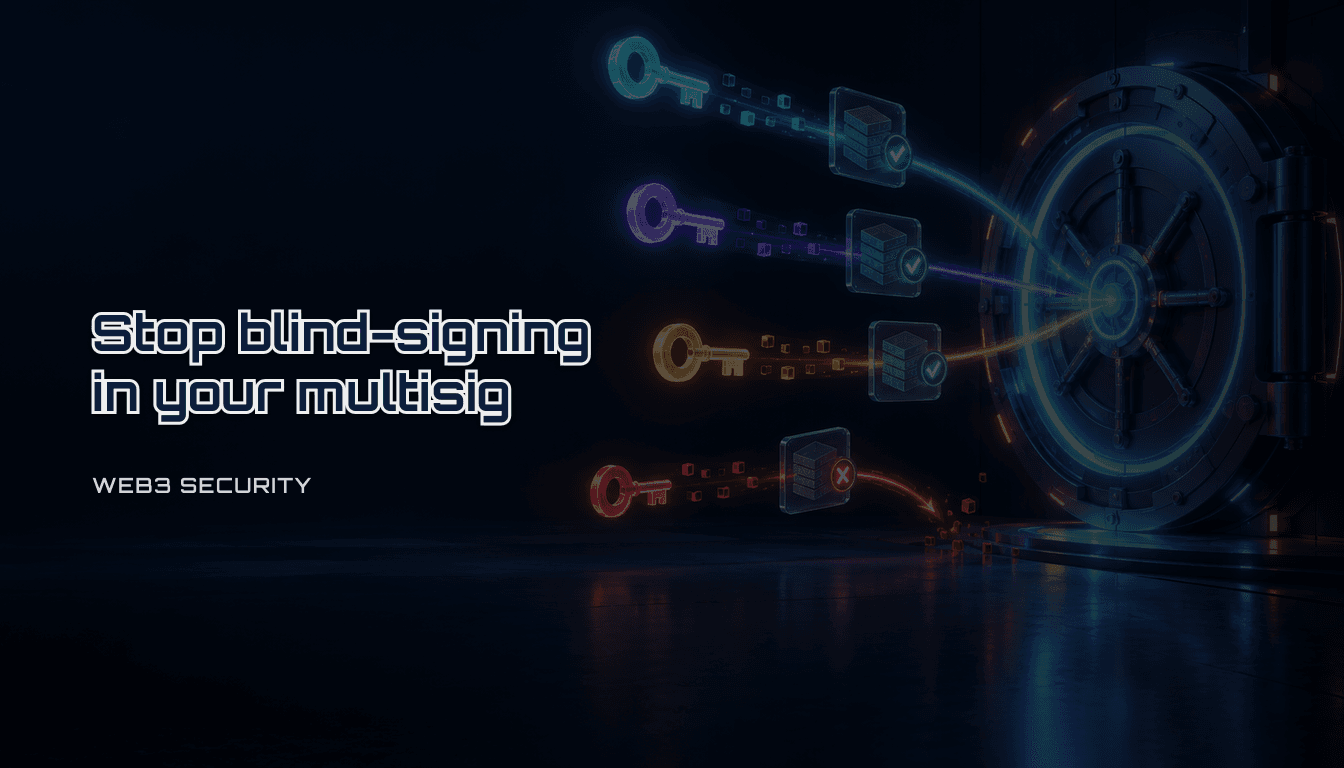
Safe multisig setup checklist: owners, threshold, and the blind-signing gap (2026)
A practical checklist for setting up a Safe (Safe{Wallet}) multisig for a team or treasury. Configure owners and threshold correctly, and close the blind-signing gap that let attackers drain $1.5B from Bybit through a legitimate-looking Safe transaction.
Table of Contents
- How do you set up a Safe multisig without repeating Bybit's mistake?
- 1-minute summary
- Who this is for
- Conclusion
- Explanation
- What Safe's owner/threshold model actually guarantees
- How the Bybit attack worked
- Where the same gap exists in a typical setup
- Practical Guide
- Step 1: choose owners and threshold deliberately
- Step 2: verify every transaction independently before signing
- Step 3: confirm your hardware wallet clear-signs, not blind-signs
- Step 4: separate the roles and the machines
- Step 5: review modules and guards before adding them
- Step 6: rehearse recovery before you need it
- Step 7: test with a small transaction before going live
- Pitfalls
- Checklist
- FAQ
- 1. Does a higher threshold (like 4-of-7) protect against the Bybit-style attack?
- 2. Is Safe less secure than a single-key hardware wallet because of this incident?
- 3. Do I need a tool like safe-tx-hashes-util for every transaction, including simple transfers?
- 4. What should we do if we find a Module we do not recognize attached to our Safe?
- Sources
- Internal links
- Disclaimer
How do you set up a Safe multisig without repeating Bybit's mistake?
1-minute summary
- A Safe multisig does not remove single-key risk by itself. It only removes it if independent signers actually verify what they sign, on independent devices, before approving.
- In February 2025, attackers drained roughly $1.5B from Bybit's Safe multisig without breaking Safe's cryptography. They compromised a Safe{Wallet} developer machine, served altered transaction data to the signers' browsers, and the signers approved it because their hardware wallets showed only a hash, not the real destination and calldata.
- Treat threshold configuration, independent hash verification, and hardware-level clear signing as one control, not three optional add-ons. A correctly configured 3-of-5 Safe is still one bad approval away from a full drain if every signer trusts the same UI.
Who this is for
- Teams setting up a Safe (formerly Gnosis Safe) for a treasury, DAO, or multi-person project wallet
- Signers who currently approve transactions by clicking "Confirm" after a glance at the amount
- Security reviewers auditing an existing Safe's owner list, threshold, modules, and signing workflow
Conclusion
A Safe multisig's security model rests on one assumption: each signer independently confirms the transaction they are signing, using information they do not have to trust the same interface for. The Bybit incident broke that assumption, not the underlying M-of-N signature scheme. A malicious payload injected into Safe{Wallet}'s front end showed Bybit's signers a routine transfer while the transaction that actually executed changed the Safe's logic contract and handed control to the attacker. Every signer who approved was doing exactly what the interface told them to do.
A Safe setup that survives a compromised front end needs four things:
- Owners and threshold chosen so no single compromised machine, browser profile, or person can reach the signature count alone.
- Independent transaction verification: recompute the
safeTxHash(domain hash + message hash) from a source other than the browser tab you are about to sign in. - Clear signing on hardware wallets: a device that displays the real destination address and calldata, not just a hash, for anything beyond a plain ETH transfer.
- Module and delegatecall discipline: nothing that bypasses the owner signature flow gets added without a separate review.
Explanation
What Safe's owner/threshold model actually guarantees
A Safe stores an array of owner addresses and a threshold (a uint256). To execute a transaction, the Safe contract checks that at least threshold valid owner signatures are present over the same transaction hash, then calls execTransaction. Common configurations: 2-of-3 for an individual or small team, so losing one key does not lock the wallet and compromising one key does not empty it; 3-of-5 or higher for treasuries, DAOs, and family offices, which tolerates losing two keys and requires compromising three to move funds.
This model guarantees that no fewer than threshold distinct signatures can move funds. It does not guarantee that the signers understood what they signed. Signature verification and transaction comprehension are separate problems, and the Bybit attack targeted the second one.
How the Bybit attack worked
On February 21, 2025, Bybit's cold wallet, a Safe multisig, was drained of roughly $1.4-1.5B in what remains the largest cryptocurrency theft on record. Multiple independent post-mortems (Safe's own incident report, Sygnia's forensic review commissioned by Bybit, and analyses from Blockaid and NCC Group) converge on the same mechanics:
- Attackers compromised a developer's machine at Safe{Wallet} and used that access to inject malicious JavaScript into the Safe front end's AWS infrastructure, scoped to trigger only for Bybit's specific Safe address.
- When Bybit's operators opened a routine transaction in the Safe UI to move ETH from the multisig to a warm wallet, the altered front end displayed that ordinary-looking transfer while the actual transaction it constructed called
delegatecallagainst a malicious contract that rewrote the Safe's masterCopy (implementation) pointer and handed transaction execution control to the attacker. - The signers approved on Ledger hardware wallets. Ledger's Ethereum app, at the time, did not decode and display the full calldata for a Safe
execTransactioncall involvingdelegatecall. It showed a hash. The signers had no on-device way to see that the transaction they were approving was not the transfer shown in the browser. - Because the front end and the hardware wallet display agreed with each other (both showed nothing that contradicted a routine transfer), multiple legitimate owners signed a transaction that emptied the Safe.
The multisig threshold was met by real owners using their real keys. The attack worked entirely by controlling what those owners believed they were signing.
Where the same gap exists in a typical setup
The pattern generalizes beyond this one incident. Any workflow where a signer's only source of truth is "what the web UI shows me" has this gap, regardless of which multisig product you use. The specific failure modes to design around:
- Blind signing on hardware wallets. If your device shows a hash instead of decoded transaction fields for anything other than a simple native transfer, you are approving based on trust in the software wallet, not verification.
- Single points of UI trust. If every owner signs from the same web app, the same browser extension, or a fork of the same code, a single supply-chain compromise can present the same false transaction to all of them simultaneously.
- Delegatecall and module transactions. A
delegatecallruns in the Safe's own storage context and can modify owners, threshold, or the implementation contract itself. A Safe Module, once added, can execute transactions without going through the owner signature flow at all if its own logic allows it. Both need scrutiny beyond "does the amount look right."
Practical Guide
Step 1: choose owners and threshold deliberately
- Put each owner key on a separate hardware wallet, controlled by a separate person, on a separate machine. Do not let one person hold two of the required signatures "for convenience."
- For a small team or personal treasury, 2-of-3 is a reasonable default: any one key can be lost without locking funds, and compromising one key alone is not enough.
- For a DAO treasury, company funds, or anything above a threshold you would call material, use 3-of-5 or higher, and spread owners across organizations or at least across physical locations when possible.
- Document who holds each key and the process to reach them, before you need it during an incident.
Step 2: verify every transaction independently before signing
Do not treat the Safe web app as the source of truth for what you are about to sign. Recompute the transaction hash from a second source and compare it to what your hardware wallet displays.
Safe's own transaction-verification guide documents a manual method: pull the pending transaction from the Safe Transaction Service API, feed the same parameters into the Safe contract's getTransactionHash view function on a block explorer, and compare the result to the hash your device shows.
A faster, scriptable option is an independent open-source tool such as safe-tx-hashes-util, which queries the Safe Transaction Service directly and computes both the EIP-712 domain hash and message hash locally, so you are not trusting the same code path that renders the Safe UI:
./safe_hashes.sh --network arbitrum --address 0x111CEEee040739fD91D29C34C33E6B3E112F2177 --nonce 234
Documented output includes the domain hash, message hash, and combined Safe transaction hash, plus decoded to, value, data, and operation fields:
Domain hash: 0x1cf7f9b1efe3bc47fe02fd27c649fea19e79d66040683a1c86c7490c80bf729
Message hash: 0xd9109ea63c50ecd3b80b6b27ed5c5a9fd3d546c2169dfb69bfa7ba24cd14c7a
Safe transaction hash: 0x0cb7250b8becd7069223c54e2839feaed4cee156363fbfe5dd0a48e75c4e25b
Compare all three values against what your hardware wallet or MetaMask shows before approving. A mismatch means the interface you are looking at does not match the transaction that will actually execute. Stop and investigate; do not sign to "see what happens."
Step 3: confirm your hardware wallet clear-signs, not blind-signs
- Check whether your device firmware decodes the specific call you are approving (a plain transfer, an
execTransaction, adelegatecall) into readable fields, or whether it only shows a hash. - If it only shows a hash for anything beyond a native token transfer, treat that transaction as unverifiable from the device alone, and rely on Step 2's independent hash comparison as your actual control.
- Update firmware before large or unusual transactions; clear-signing coverage for smart contract calls has expanded across major hardware wallets since the Bybit incident, but coverage still varies by device and by the specific contract call shape.
Step 4: separate the roles and the machines
- Propose transactions from one machine or session, and require approval from owners on separate machines and separate networks. A single infected laptop should not be able to both propose and gather enough approvals to execute.
- Avoid installing unnecessary browser extensions on any machine used for signing. A compromised extension can manipulate what a web wallet displays, independent of any Safe-specific vulnerability.
- If your organization uses a dedicated signing workstation, keep it single-purpose: no general browsing, no email client.
Step 5: review modules and guards before adding them
- List every Module and Guard currently attached to the Safe. A Module can execute transactions outside the owner signature flow if its own code allows it; a Guard can block or alter transactions before execution.
- Before adding a new module (for example, a session-key module, a recovery module, or an automation integration), read its source, confirm it has been audited, and understand exactly what it is allowed to do without owner signatures.
- Remove modules you are not actively using. Unused attack surface does not need to stay attached to a treasury wallet.
Step 6: rehearse recovery before you need it
- Confirm the process to rotate a compromised or lost owner key:
swapOwner,removeOwnerplusaddOwnerWithThreshold, or your chosen equivalent. This still requires reachingthresholdsignatures from the remaining owners, so plan for the case where you are close to losing quorum, not just losing one key. - Write down, outside any single owner's head, who to contact and in what order if a key is suspected compromised.
Step 7: test with a small transaction before going live
- Before moving treasury-scale funds into a newly configured Safe, run the full flow end to end with a small amount: propose, verify the hash independently, confirm clear signing (or the fallback hash comparison) on each owner's device, approve, and execute.
- Confirm the executed transaction on a block explorer matches what every owner verified, not just what the UI showed after the fact.
Pitfalls
- Treating a high threshold (for example 4-of-7) as sufficient protection on its own, while every owner signs from the same web app instance with no independent verification
- Approving a
delegatecallor module transaction because "the amount looked right" without checking the target contract and operation type - Letting one person hold multiple owner keys "temporarily" during setup and never rotating them out
- Signing on a hardware wallet that only shows a hash for a smart contract call, and treating that hash as meaningful without comparing it to an independently computed value
- Adding a module or guard from an unaudited or unfamiliar source to save engineering time
- Keeping the recovery/rotation runbook only in one owner's memory
- Skipping the small test transaction and verifying the process for the first time on a large transfer
Checklist
- [ ] Owner keys are on separate hardware wallets, held by separate people, on separate machines
- [ ] Threshold matches the wallet's purpose (2-of-3 minimum for personal/small team, 3-of-5 or higher for treasuries)
- [ ] No single person holds enough keys alone to reach threshold
- [ ] Every transaction's
safeTxHash(domain hash + message hash) is recomputed independently before signing, not read only from the Safe web app - [ ] Hardware wallets used for signing are confirmed to clear-sign the transaction types you actually send, or the team relies on independent hash verification when they do not
- [ ] Proposing and approving happen from separate machines and networks, not one device that could both propose and gather approvals
- [ ] Every attached Module and Guard is inventoried, sourced from an audited project, and reviewed for what it can do without owner signatures
- [ ] A documented key rotation and incident runbook exists outside any single owner's head
- [ ] A small test transaction was run end to end, including hash verification, before the Safe held material funds
- [ ] Firmware on signing hardware wallets is current
FAQ
1. Does a higher threshold (like 4-of-7) protect against the Bybit-style attack?
Not by itself. A higher threshold means more people have to be fooled, which raises the bar, but if every one of them approves based on what the same compromised interface shows, a higher threshold only means the attacker needs to fool more people with the same false transaction, not that any one of them will catch it. Independent verification is what actually catches it.
2. Is Safe less secure than a single-key hardware wallet because of this incident?
No. The Safe protocol's signature verification was not broken; the front end that renders transactions for humans was compromised. The same risk applies to any multisig or single-key wallet whose only transaction display is a web interface, and single-key wallets have no threshold to fall back on at all. The fix is verification discipline, not abandoning multisig.
3. Do I need a tool like safe-tx-hashes-util for every transaction, including simple transfers?
Simple native token transfers with no contract call are lower risk because most hardware wallets clear-sign them fully (recipient and amount are shown on-device). Reserve independent hash verification for contract interactions, delegatecall transactions, module changes, and anything your hardware wallet only shows as a hash.
4. What should we do if we find a Module we do not recognize attached to our Safe?
Treat it as a potential compromise. Do not remove it hastily without understanding what it does first, since some recovery or session-key modules are load-bearing, but immediately restrict what can trigger it if possible, and involve every owner in reviewing it before any further transactions execute.
Sources
- Safe: what is a Safe smart account (Safe Docs)
- Safe: smart account signatures (Safe Docs)
- Verify Safe transactions (Safe team, HackMD)
- safe-tx-hashes-util (pcaversaccio, GitHub)
- In-Depth Technical Analysis of the Bybit Hack (NCC Group)
- How to Prevent the Next $1.5B Bybit Hack: A Strategic Approach to Solving Blind Signing (Blockaid)
Internal links
- Parent hub: Web3 wallet safety: start here
- Related:
Disclaimer
Not financial advice. General security guidance only. Multisig configuration, hardware wallet firmware behavior, and module ecosystems change frequently; verify current behavior against your specific Safe version, network, and signing hardware before relying on any step here for material funds.
Popular
- 1Permit2 explained (Web3): why approvals changed and how to use it safely (checklist)
- 2Read wallet signing screens (Web3): a 30-second checklist to avoid permission traps
- 3Spec-to-implementation prompt template (AI development): how to stop the model from guessing
- 4Revoke token approvals on EVM: how to audit allowances safely (checklist)
- 5Clarifying questions checklist (AI development): what to ask before you let an LLM build